Digital Painting
Painting with light, pixels, and pressure-sensitive brushes.
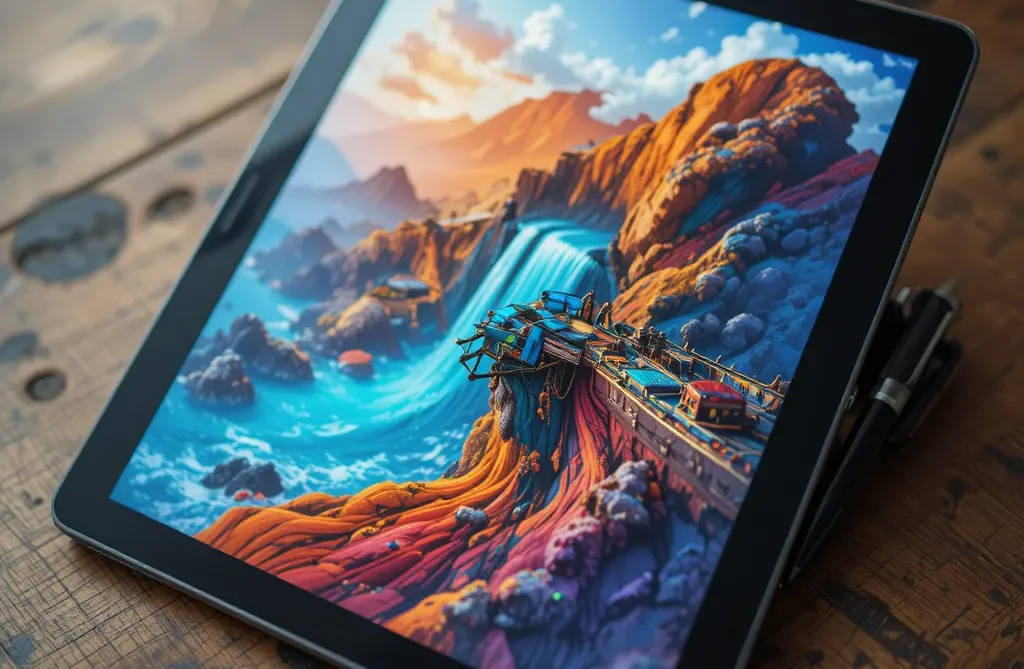
What is Digital Painting?
Digital painting is the creation of painted artwork using digital tools. Unlike digital drawing, which often emphasizes line work, digital painting focuses on color, texture, light, and brushwork — mimicking traditional media like oil, acrylic, watercolor, and pastel using software and hardware.
Digital painting is used in concept art, illustration, game art, film VFX, book covers, fine art prints, and personal creative projects. The medium offers unique advantages: unlimited undo, layer blending modes, custom brushes, and instant color mixing.
Digital Painting vs. Digital Drawing
| Aspect | Digital Drawing | Digital Painting |
|---|---|---|
| Primary focus | Line work, shape, form | Color, light, texture, brushwork |
| Typical output | Illustrations, sketches, comics | Paintings, concept art, textures |
| Brush style | Hard-edged, precise | Soft, textured, varied |
| Layer use | Line art, color flats, shading | Paint layers, blending, texture overlays |
| Undo reliance | High (precise lines) | Medium (painting is more forgiving) |
Essential Equipment
Computer
Any modern computer works. For serious painting, prioritize: large high-resolution display (color accuracy matters), powerful GPU (for large brush performance), and ample RAM (16GB+ for large canvases).
Graphics Tablet / Pen Display
Pressure sensitivity is critical for natural brushwork. Entry-level: Wacom Intuos, Huion Kamvas. Professional: Wacom Cintiq, iPad Pro + Apple Pencil. Look for at least 2048 pressure levels and tilt support.
Software
Popular digital painting software: Krita (free, open-source, excellent brushes), Photoshop (industry standard, vast ecosystem), Clip Studio Paint (excellent for illustration), Procreate (iPad, intuitive), Corel Painter (traditional media simulation), Affinity Photo (one-time purchase).
Core Techniques
Blocking In
Start with large, simple shapes of color. Establish the major value structure (light, mid, shadow) before adding detail. Work from general to specific.
Color Mixing
Digital painting offers multiple mixing methods: layer blending (multiply, overlay, soft light), brush mixing (picking colors from the canvas), and color picker adjustment. Study traditional color theory — it applies directly.
Brush Selection
Different brushes serve different purposes: soft round for blending, textured brushes for organic surfaces, hard round for detail, palette knife for impasto simulation. Most software includes hundreds of presets; custom brushes expand possibilities further.
Light & Shadow
Understand light direction, intensity, and color. Use a consistent light source throughout. Shadow colors are not black — they're the complement of the light color, desaturated and darkened.
Edge Control
Hard edges draw attention; soft edges recede. Use lost and found edges (shapes that disappear into shadow and reappear) for sophisticated form. This is a hallmark of professional digital painting.
Painting Styles
Concept Art
Fast, iterative paintings for games, film, and design. Emphasizes mood, lighting, and composition over detail. Speed and idea communication are paramount.
Illustration
Finished artwork for books, magazines, and commercial use. Often narrative or decorative. Can be stylized or photorealistic depending on the brief.
Matte Painting
Creating extended environments for film and games. Often photorealistic, combining painting with photo elements. Requires strong perspective and lighting skills.
Texturing
Creating surface materials for 3D models: wood, metal, fabric, skin. Painted at high resolution and mapped onto 3D geometry. Used extensively in game art.
Fine Art
Personal, expressive painting for prints, galleries, or online portfolios. May emulate traditional media or explore purely digital aesthetics.
Speed Painting
Rapid, time-limited painting (15min–1hr) to train intuition and capture ideas quickly. Popular as warm-up exercise and portfolio piece.
Workflow Tips
- Use layers. Separate underpainting, mid-tones, highlights, and texture into layers. Use layer masks for non-destructive editing.
- Work from large to small. Block in big shapes first; refine detail only in the final stages.
- Zoom out frequently. Check your painting at actual size or smaller to assess composition and values.
- Use reference. Even experienced painters use reference photos, color palettes, and studies.
- Limit your palette. Start with 3–5 colors and expand only if needed. Restriction breeds creativity.
- Paint from life. Still life, figure drawing, and plein air painting translate directly to digital.
- Study traditional masters. Sargent, Zorn, Sorolla, and contemporary digital painters like Craig Mullins and Ian McQue.
Common Mistakes
- Overworking. Adding too much detail too early. Step back and assess before continuing.
- Ignoring values. Color gets attention, but value (light/dark) is the foundation of a painting. Paint in grayscale first if needed.
- Zooming in too much. You lose sight of the whole. Zoom to 100% only for final detail work.
- Using too many colors. A limited palette creates harmony. More colors = more mud.
- Not using layers. Painting on a single flat layer makes editing impossible.
- Copying without understanding. Tracing reference is fine for learning, but understand why the original works.
Getting Started
Beginners can start with minimal investment:
- Install Krita (free) or Photoshop trial
- Use a mouse if needed — focus on learning color and value first
- Paint simple objects: spheres, cubes, cylinders in different lighting
- Study value scales: paint a sphere with only 3 values (light, mid, dark)
- Practice color mixing: pick a reference photo and match its colors
- Join online communities: r/ArtFundamentals, r/DigitalPainting, Discord servers
- Study color theory: hue, saturation, value, temperature, complementary colors
As you advance, invest in a pressure-sensitive tablet and explore professional software. Many digital painters use multiple tools: a tablet for painting, a mouse for UI, and reference images for accuracy.